AI Assistant for Enquiries with n8n: Step by Step (GDPR-Compliant, 2026)
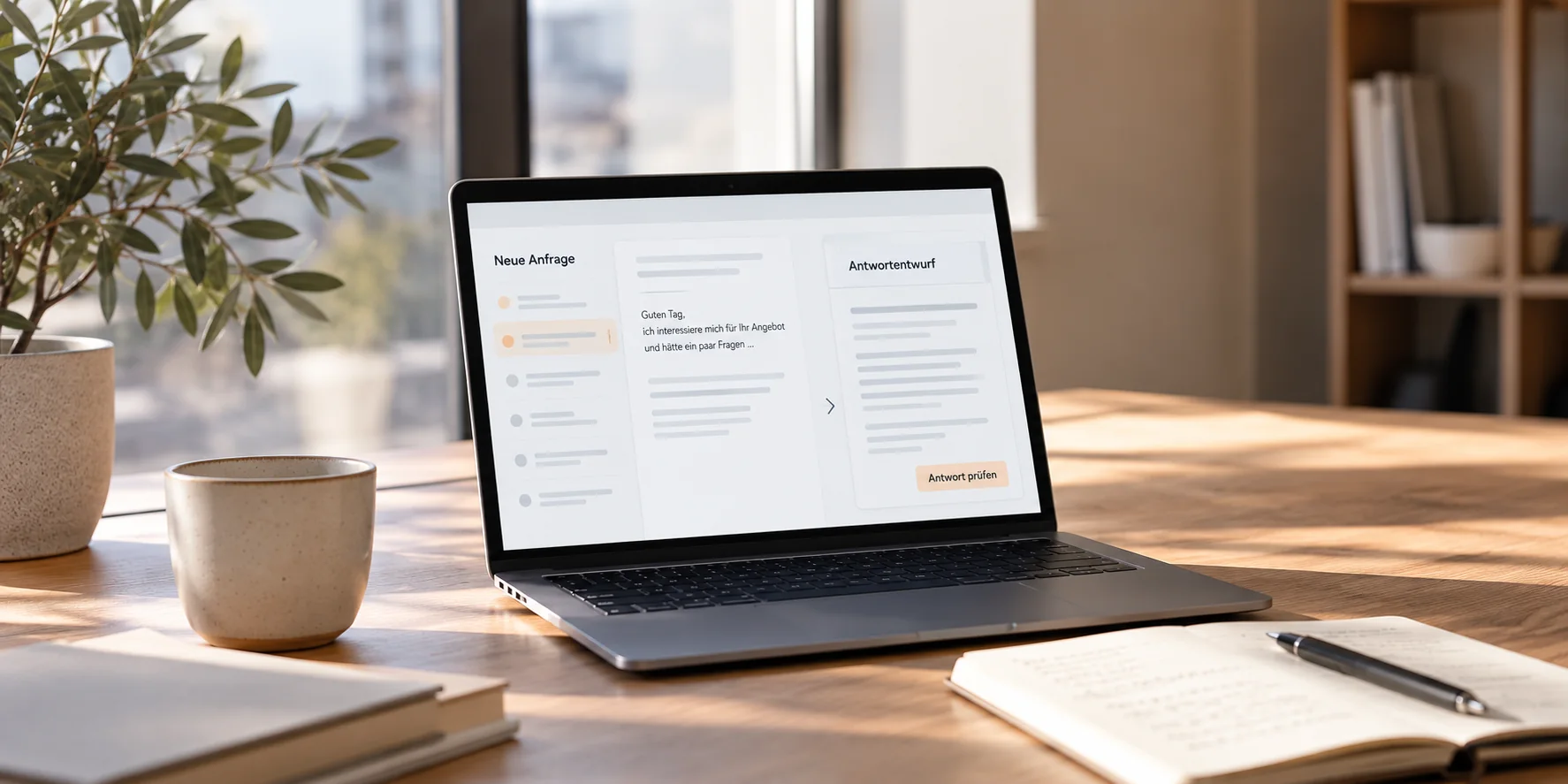
How an AI assistant sorts incoming enquiries and writes draft replies – with n8n on an EU server, human approval and proper data protection. Workflow, setup, costs and limits.
AI Assistant for Enquiries with n8n: Step by Step
Monday morning, 23 new e-mails. Three are real orders, two are rescheduling requests, the rest are questions about prices and opening hours. By the time everything is sorted and answered, the morning is gone – and the most important enquiry still waits until the afternoon.
An AI assistant for enquiries solves exactly this problem: it reads every new enquiry, categorises it and writes a draft reply. You review, adjust and send. In this article I show how such a workflow is built with n8n, what it costs, what you need to watch out for regarding data protection – and when it is not worth it.
What an AI assistant for enquiries is – and what it isn't
An AI assistant for enquiries is not a chatbot. It does not talk to your customers on its own. It works in the background in your inbox and prepares:
- Categorising: Is this a booking request, a price question, a complaint, an invoice or spam?
- Prioritising: What is urgent, what can wait until tomorrow?
- Drafting: A suggested reply in your tone, based on your own information (services, prices, processes).
- Overview: All enquiries in one place, with their status.
Only what you approve is sent. That is the key difference from fully automated replies – both in practice and legally.
How the workflow runs
- An enquiry arrives – by e-mail or through your website's contact form.
- The data is prepared – sender, subject and text are extracted; signatures and quoted text are removed.
- The AI categorises it – category and urgency are assigned.
- The AI writes a draft – based only on the information you have provided, not "from the internet".
- You review and send – the draft sits in your inbox as a draft, and the enquiry appears in an overview.
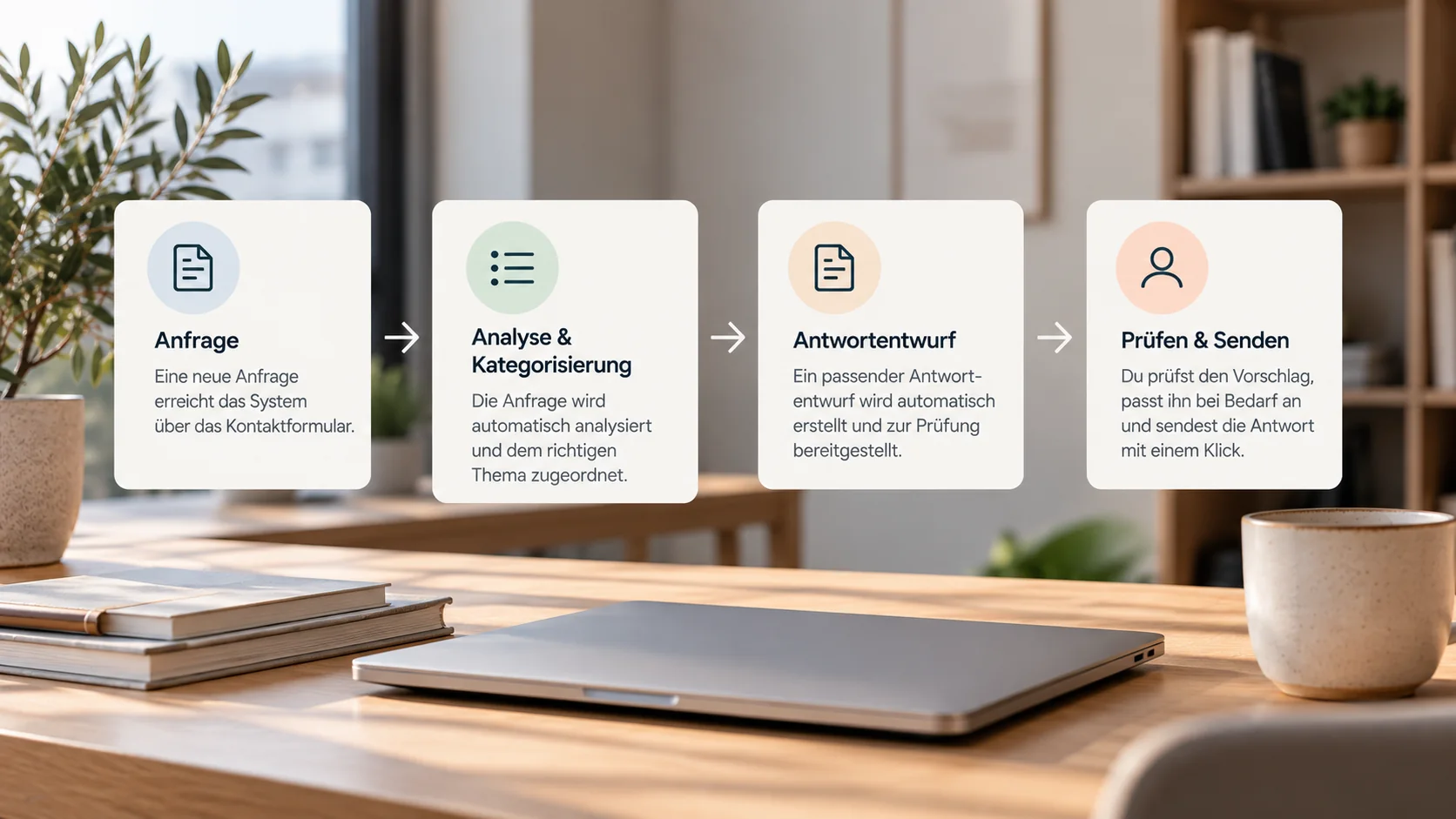
Example workflow: From incoming inquiries to AI-assisted processing and human approval.
Why n8n?
There are several tools for this kind of workflow – Zapier, Make, n8n. I use n8n for three reasons:
- Servers in the EU: n8n can be self-hosted, for example on a server in Germany. Your enquiries do not pass through the infrastructure of a US automation service.
- Cost per run, not per step: Zapier bills every single step; n8n bills each execution as a whole. For workflows with many steps – and this one has several – that makes a clear difference.
- Full control: error handling, custom logic and connections to almost any system are possible, even where no ready-made integration exists.
Important for you as a client: the workflow is best run in your own instance. That way the data and the workflow belong to you – even if we stop working together one day.
Step by step: building it in n8n
1. Trigger: a new enquiry
The workflow starts as soon as a new e-mail arrives (Gmail or IMAP trigger) or the contact form is submitted (webhook). Forms are especially clean, because the data already arrives structured.
2. Preparing the data
Before the AI sees anything, the text is cleaned up: signatures, forwarded threads and attachments are removed. This improves the results – and reduces the amount of data sent to the AI model. Less data also means less data protection risk.
3. Categorising with fixed categories
The AI receives a fixed list of categories and must choose exactly one. For example:
Assign the enquiry to exactly one category:
BOOKING, PRICE_QUESTION, ORDER, COMPLAINT, INVOICE, OTHER.
Also state the urgency: HIGH, NORMAL, LOW.
Reply only in the format: CATEGORY | URGENCY
Fixed categories instead of free-form answers make the workflow reliable: each category can take its own path – complaints, for example, always go straight to you, without a draft.
[SCREENSHOT: Switch node with the categories]
4. Draft replies from your own information
For the draft, the AI receives a short knowledge base: your services, prices, opening hours, typical answers – and clear rules, for example:
- No prices or commitments that are not in the information provided.
- If unsure: suggest a follow-up question instead of guessing.
- Always in your company's tone.
The draft is saved as an e-mail draft in your inbox – not sent.
5. Overview and notification
Each enquiry is also added to an overview (for example a spreadsheet) with category, urgency and status. For high urgency you get an immediate notification.
6. Error handling
What happens if the AI model is unavailable? Then the enquiry goes straight to you without a draft – and you are notified. No enquiry may "disappear" inside the workflow. This part is often forgotten, and it is the most important one.
[SCREENSHOT: error workflow with notification]
Data protection and the EU AI Act: what to watch out for
Data processing agreements: You need a data processing agreement (in Germany: AVV) with the server provider and with the provider of the AI model. Wherever possible, choose data processing within the EU.
Data minimisation: Only the text needed for categorising and drafting is sent to the AI model – no attachments, no complete e-mail threads.
Extra care for practices: If patients or clients include health information in their enquiry, that is specially protected data. For practices, therapists and coaches I therefore recommend: only categorise these enquiries, do not draft replies on health topics – and never mention the type of treatment or specialty in automated confirmations.
EU AI Act: Since August 2026, transparency obligations apply in the EU to AI systems that interact directly with people – such as chatbots. With an assistant whose drafts you review and send yourself, the reply ultimately comes from you. Anyone sending replies fully automatically should check the transparency obligations carefully. If in doubt, legal advice can clarify this.
What does an AI assistant for enquiries cost?
The costs have three parts:
- Setup: analysis of your enquiries, build, testing with real examples, documentation. With me, as an extension of an existing workflow from €690, as a new workflow from €900.
- Running costs: your own server in the EU usually costs a low double-digit amount per month. AI model costs for typical enquiry volumes are usually a few cents per enquiry – depending on the model and the length of the texts.
- Maintenance: updates, changes when your services or prices change, monitoring – optionally as a monthly maintenance plan.
When it is not worth it
To be honest: not for every business.
- Few enquiries: with five e-mails a week, good text templates are faster.
- Every enquiry is unique: if every reply needs an individual professional assessment, a draft helps little.
- Data protection not sorted out: if sensitive data is involved and the framework is not in place, that has to be solved first.
The assistant pays off most when many similar enquiries come in and a fast reply decides whether you win the job.
Frequently asked questions
Does the AI reply on its own? No. It creates drafts. Only what you approve is sent.
Does it work with my inbox? Usually yes – with Gmail, Microsoft 365, most inboxes that support IMAP, and with contact forms.
Do I need to know how to use n8n? No. I set everything up and document it. You keep working in your inbox.
What happens if we stop working together? The workflow runs in your own instance and belongs to you – with complete documentation.
Conclusion
An AI assistant for enquiries does not replace replies – it prepares them. Built properly – with fixed categories, your own information, human approval and solid error handling – no enquiry gets lost, and you gain time for the enquiries that really matter.
More about my services: Booking & Automation Systems · Further reading: Automation for small businesses: which workflows are really worth it
Want to know whether this is worth it for your enquiries? Contact
Need support with your website?
I help with WordPress fixes, technical SEO, automation and booking systems — pragmatic, without unnecessary overhead.
Get in touchGet in touch